UpTrust has a few main areas, and once you know where they live, getting around is quick. This page shows you what each part does so you spend less time hunting and more time reading.
Where to find it: The left sidebar and top header are on every page once you're signed in. On a phone, look at the bar along the bottom of the screen.
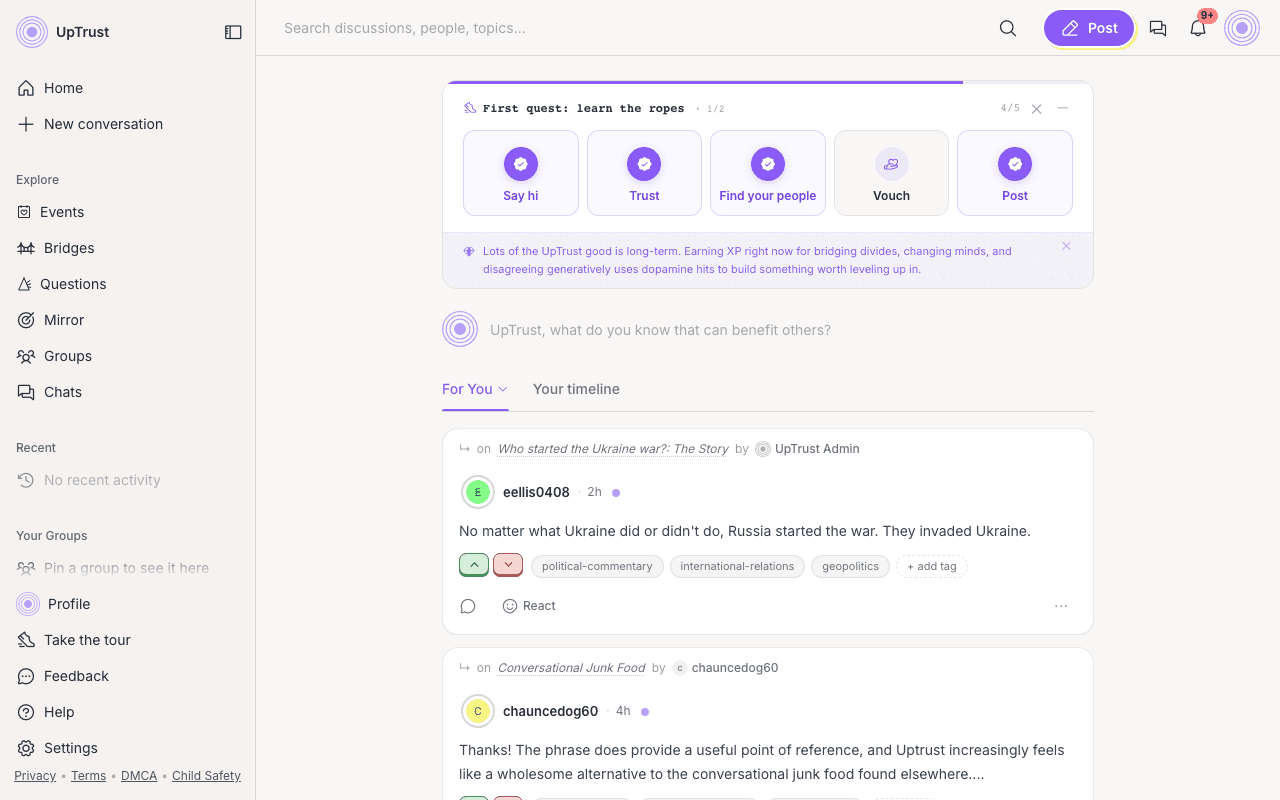
The home feed
Your home page is the feed of posts from the people and topics you trust. The more you vote, the better it gets at showing you things you care about. Click the Home link any time to come back to it.
The left sidebar
The list at the top is short on purpose. Eight places, in this order:
- Home, your feed.
- Inbox, replies and mentions waiting for you.
- Asks, what people here are trying to figure out.
- Events, what is coming up.
- Groups, rooms you can join.
- Topics, every subject people are talking about.
- Bridges, posts that landed with people who disagree.
- Experiments, things we are still trying out.
Under the list are two buttons: New conversation to post, and Invite to bring someone in.
Below that are two named sections: People holds your crews, and Groups holds the groups you have pinned. Each section name is a link to the full directory. At the bottom you'll find your Profile, Help, and Settings.
Things that moved
A few pages left the sidebar to keep it short. They all still work:
- Your Mirror is on your profile now. Look beside your name for How you come across and click it. Experiments links to it too.
- Questions has no row of its own. Find it from Experiments, or from this page.
- Chat has an icon in the top header, if it is turned on for you.
The left rail can fold down to icons only. While you read Help, it collapses that way on its own so the article has more room. Hover or click the rail edge when you want labels back.
The top header
Up top there's a search box for finding conversations, a green Create button for new posts, and icons for chat and your inbox. Your inbox icon shows a small badge when you have something new. Your avatar opens a menu with more options, including Feedback and the Welcome quest.
On a phone?