A trust bet reshares someone else's post to people who trust you. It puts your name on the recommendation, so your circle sees both the original and that you backed it.
Where to find it: On any post, tap the repeat (↻) button. In the app, open the ... menu and choose Restack.
How to do it
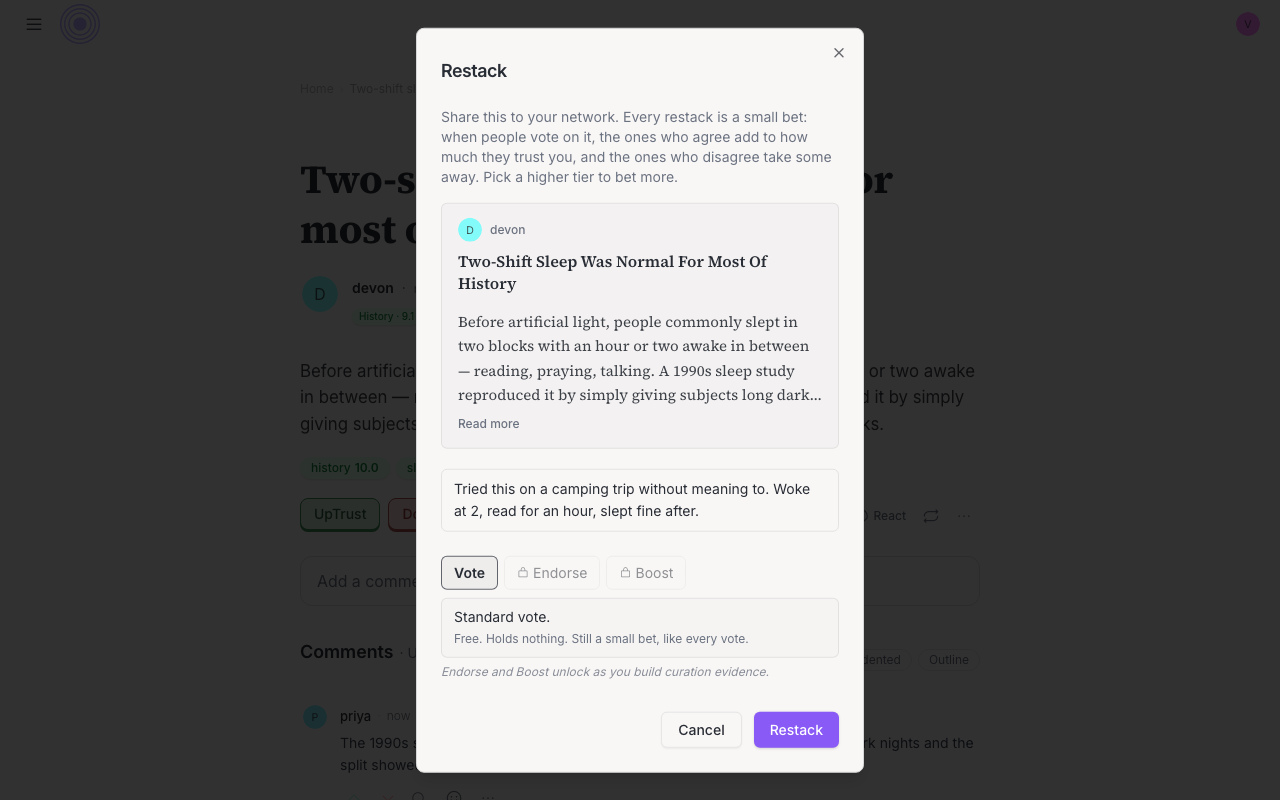
- Tap ↻. A share dialog opens.
- Write a take if you have one. It is optional.
- Pick how strongly you mean it. It starts on Vote, the free tier.
- Press Restack, or Place bet if you picked a higher tier.
On the free tier you get an Undo if you change your mind. A higher tier has no Undo, because deleting the reshare does not give the stake back.
What people see
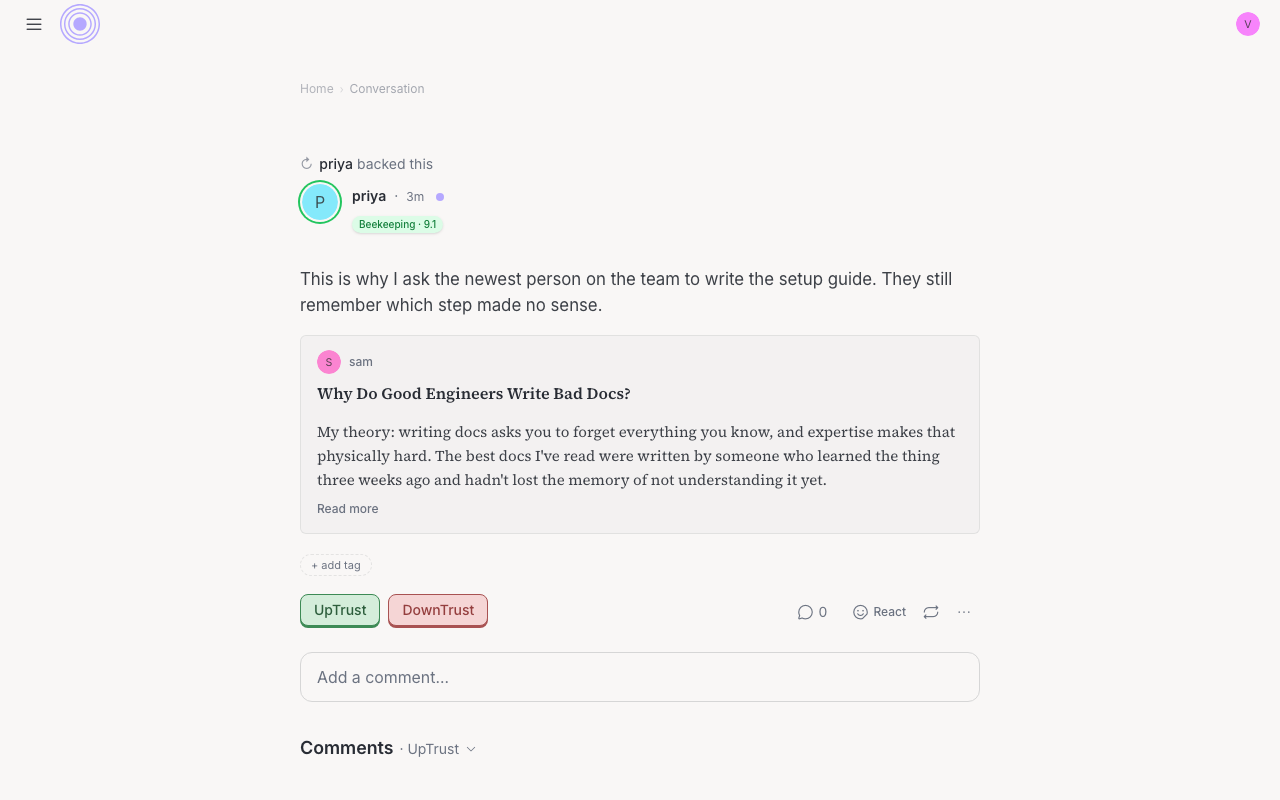
In the feed, a quiet band above the card says ↻ [your name] backed this. Your take (if any) sits on top of a quote card of the original post. The original author gets a notification that you backed their post.
What a trust bet costs you
You can pick how strongly you mean it, like Endorse or Boost. The number is not shown to anyone. If your network agrees, you earn curation trust back. If they disagree, you lose a bit more than you would have gained. Only people the network already trusts count, so a vote from a brand-new account does not change what you can stake. It spends from the curation trust you have already earned, so the higher tiers open up as you build more. If you delete the restack later, you do not get the stake back. Every reshare is a bet, even on the free tier: people who vote on it after you still move how much they trust you, just by less. The same tiers show up when you stake a vote, and that stake does not come back either.
Link vs trust bet