Every vote you cast builds a private record of who you trust and on what. That record is an asset: it ranks your feed, weights scores, and shows you where people already trust your take. The page that holds it is called Your trust graph.
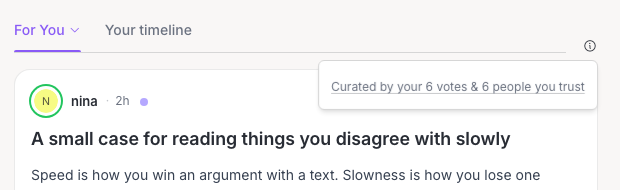
Where to find it: On your home feed, with the For You tab showing your own view, look for a small i icon next to the feed tabs. Hover over it to see a line like Curated by your 37 votes & 8 people you trust. Click it, then click that line. On your own profile, use the Your trust link next to the tabs. On a wide screen, once you rank among the most trusted voices on a topic you follow, a Where you stand box on the right of your home and Explore pages has a Your trust link too. There is no sidebar entry for this page yet.
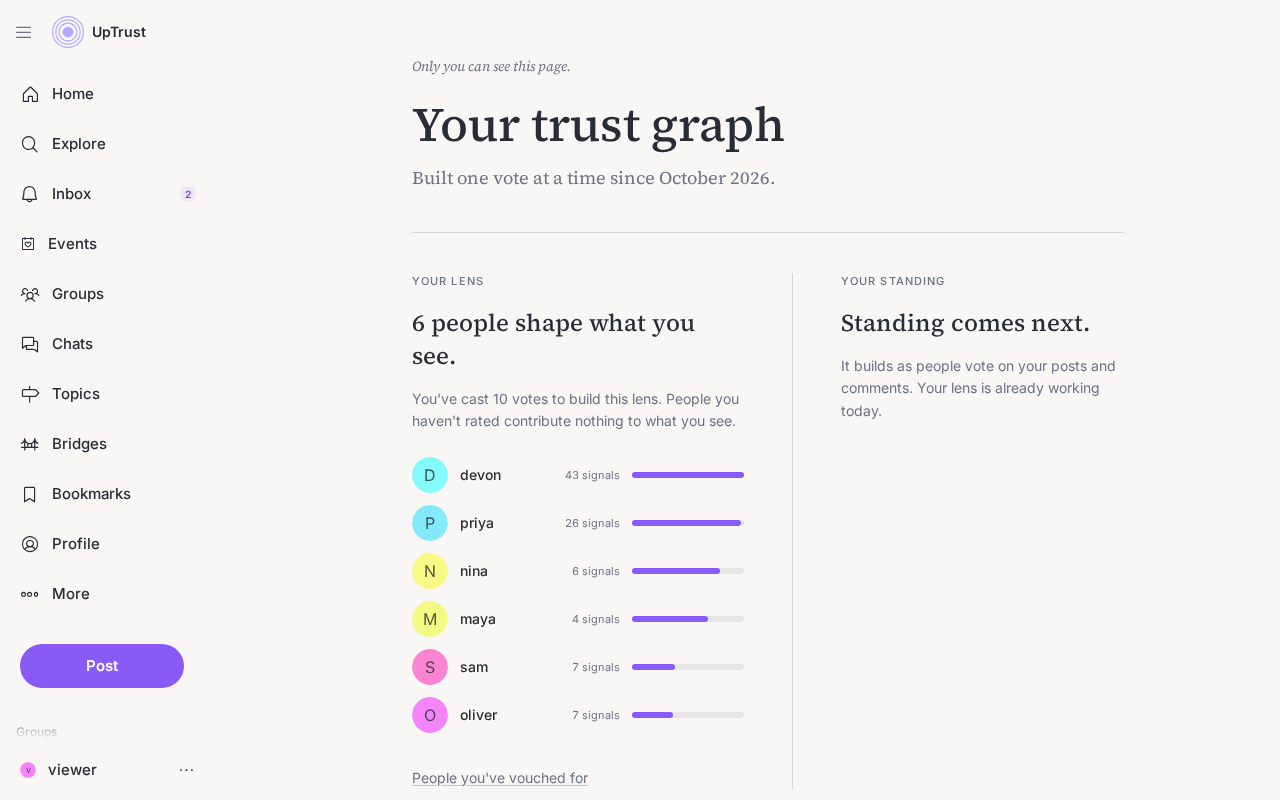
Your lens and your standing
The page has two sides. Your lens is the people who shape what you see, the ones your votes have raised highest. Your standing is the other direction: topics where other people trust your take, built as they vote on what you share.
Bridges and the weekly line
Below the two columns, a Bridges section counts how many of your posts carried across communities (when people who usually disagree both valued something you shared). When someone has adjusted their trust toward you this week, a short standing line can appear under Your standing.
The vote receipt
When you uptrust someone on a specific topic, a brief note confirms it, for example Increased your trust in @name on cooking. That is the moment your graph grows. Open Trust people on topics for the full how-to.
If the page is empty
With no votes yet, the page explains that your lens opens with your first vote, and offers Calibrate your feed. That starts the same quick-vote flow as Improve my feed.
Only you can see this